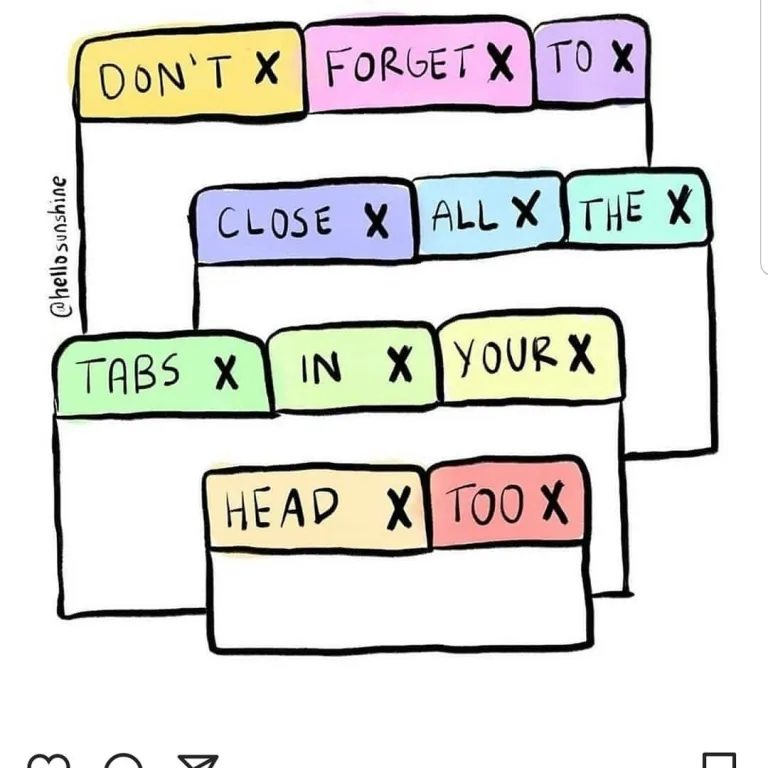
There is a tab in your browser right now that you opened with real intent. An article you meant to read, a recipe, a guide to fixing the thing that is still broken. That was months ago. You have restarted the machine since. It came back.
Nobody sets out to keep forty tabs open. It happens because a tab is the cheapest promise you can make to yourself, and the browser has quietly stopped charging you for breaking it.
A tab is a to-do item wearing a disguise
The honest description of tab hoarding is that you are using the tab bar as a task list. You are just using one that has no due dates, no priorities, and no way to mark anything as done other than destroying it.
This is why closing tabs feels disproportionately bad. You are not discarding a web page — you are admitting you are not going to do the thing. The page is evidence of an intention, and while it stays open the intention is technically still alive. Bookmarking does not help, because everyone knows bookmarks are where links go to be forgotten with more ceremony.
The result is a strange little economy in which the cost of keeping something is nearly zero and the emotional cost of deleting it is not.
The browser stopped punishing you, and that changed everything
A decade ago tab hoarding had a natural limit: your computer got unusable. Every tab was a live page eating memory, and thirty of them meant a fan at full tilt.
Then browsers got clever. Tabs you have not touched are discarded and quietly reloaded when you return. Chrome calls it Memory Saver; Firefox and Safari do their own versions. Sleeping tabs consume almost nothing.
The engineering is genuinely good. It also removed the only feedback loop that ever made anyone tidy up. When forty tabs cost the same as four, the number stops meaning anything, and the tab strip becomes a place where text goes to become an unreadable row of favicons.
Worth noting what the "reload on return" behaviour costs you, though: any state the page held that was not saved server-side is gone. The half-written comment, the scroll position, the form you filled in. The tab survived. What you were doing in it did not.
Session restore made it permanent
The other quiet change was that closing the browser stopped being a reset.
Session restore was designed for crashes — reopening what you lost. In practice it converted your tabs from something temporary into something persistent, a state that migrates across restarts and, with sync, across machines. Your phone now knows about the tab you abandoned on a laptop.
At that point they are not tabs. They are an unmanaged filesystem with a terrible interface, and no operation for "archive".
The honest counter-argument
It is tempting to frame all of this as a problem to be solved, and there is a whole category of tab-manager extensions built on that premise. Most people install one, use it for a fortnight, and end up with tab clutter plus a second inbox of saved links they also never revisit.
The uncomfortable possibility is that tab hoarding is not dysfunction at all. It is a reasonable response to having more interesting things available than time to consume them. The open tab is an accurate signal: this looked worthwhile and I did not have room for it. A tidy tab bar would not create that room; it would just hide the evidence.
Seen that way, forty tabs is not a failure of discipline. It is an honest ledger.
What actually works, if you want it to stop
The approaches that survive contact with reality are the ones that change the default rather than requiring willpower:
- Close by time, not by judgement. Anything untouched for a month goes, unexamined. Deciding case by case is what got you here — every tab wins its individual appeal.
- Separate reading from doing. Send articles to a read-later app and keep the browser for things you are actively working on. This works because it puts the two kinds of tab in different places.
- Use tab groups as a shelf, not storage. A collapsed group of twelve is more findable than twelve loose tabs — but it is still twelve tabs, and it is easy to mistake tidiness for progress.
- Accept a hard ceiling. Some people cap the window and close whatever falls off the end. Crude, and the most effective thing on this list.
Or leave them. The machine no longer cares, the browser will keep them asleep indefinitely, and that one tab from eight months ago is not hurting anyone.
It is just going to outlive the laptop.